 Vodu
Vodu AI kiss generator alternatives, compared
Last updated: September 2026
If your two people are in separate photos, use MagicShot, AIKissfiy or Vidu — they take one picture of each person. If they are already in one photo, EaseMate has the most generous free tier (30 credits a day, about two clips, no watermark), Fotor bundles a real photo editor, and Vodu AI is the iPhone app option with no website account. Nine tools are compared below on free tier, watermark, price and what you actually have to upload — all from their own pages.
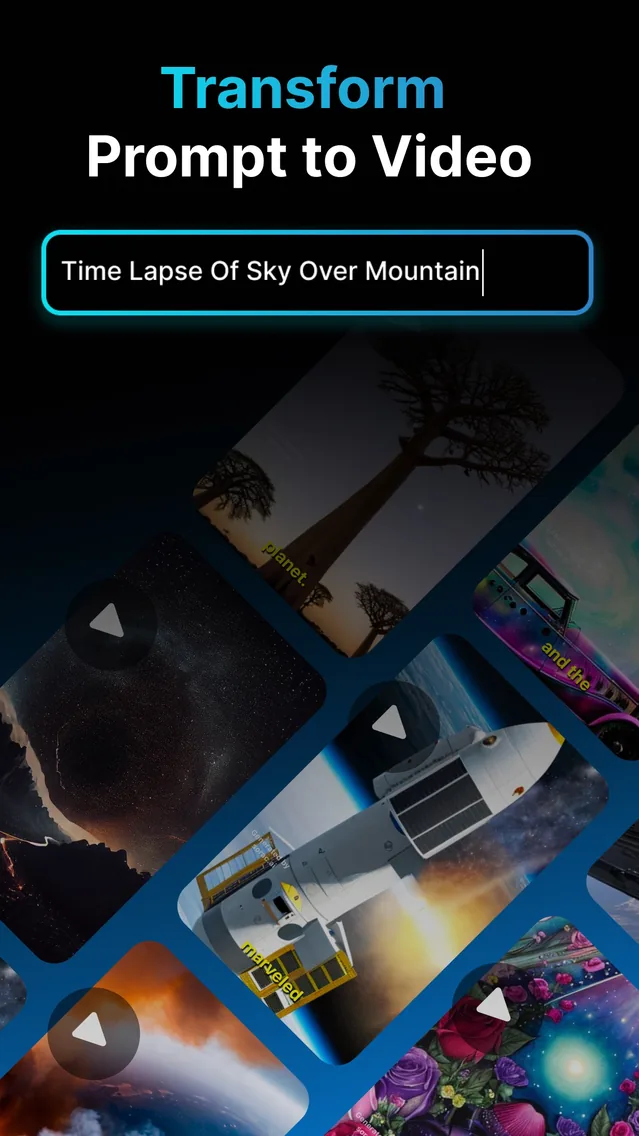
Every quotation and figure below was read on 13 September 2026 from the tool's own product or pricing page, with the pages rendered so that their JavaScript pricing tables actually resolve — not from a listicle and not from memory. Where a tool publishes nothing, or where its own pages contradict each other, this page says so instead of picking the flattering version. Vodu AI is our own app; it sits fifth here, which is where the evidence puts it.
Nine AI kiss generators, and what each one is actually for
1. AIKissfiy
The only tool here built solely for kiss videos
Everything else on this page is a general AI video platform with a kiss template bolted on. AIKissfiy is the exception: roughly fifteen named kiss styles (French, anime, neck, rain, forehead, Eskimo and so on) plus hug, anniversary and wedding tools, and nothing else. It takes two separate photos — “Upload two photos, choose a kiss style” — so you never need to make a collage first. Its free plan runs on a daily check-in of 4–14 credits, capped at 4 photos and 2 videos. It does not state a watermark policy or a clip length anywhere.
Free tier: Free plan: daily check-in 4–14 credits, up to 2 videos · Cheapest paid: Basic $9.99/month (600 credits) · Platform: Web
2. MagicShot
Best for two people who were never in the same photo
MagicShot's Kissing Booth is explicitly engineered for the long-distance case: “Upload one clear photo of each person”, and “Two separate photos are all it needs”. It offers named scene styles (Tokyo Neon, Kiss Cam, Paris Balcony, Fireworks), exports MP4 and GIF up to 1080p, and states that a commercial use licence is included — the only one here that does. The catch is at the front door: its pricing page lists no free plan at all, so there is nothing to try before you pay.
Free tier: No free plan listed · Cheapest paid: Essential $9/month (8,000 credits) or $63/year · Platform: Web & iOS
3. EaseMate AI
Most generous stated free tier, and no watermark on the download
EaseMate states the clearest free allowance of anything checked here: “Once you log in, you'll receive 30 free credits each day, allowing you to create 2 kiss videos with AI”, and says you can “download your AI kissing clip on your computer or phone without any watermarks”. It takes one image with two people in it, and is the only tool in this set that will also generate a kiss scene from text with no photo at all. Web, iOS and Android. It publishes no price on the kiss page.
Free tier: 30 credits/day ≈ 2 clips, stated watermark-free · Cheapest paid: Price not published on the kiss page · Platform: Web, iOS & Android
4. Vidu
Widest range of kiss templates, and the longest clips
Vidu carries the most dedicated kiss variants of the general platforms — French, air, cheek, rain, group — and supports 3 to 16 second generations, the longest ceiling on this page. It is also the most flexible about input: “Upload a photo of two people or two individual photos with the same aspect ratio”, so it works either way. Its free plan lists 10 references a month; the exact free credit allowance is not stated, and which tiers download without a watermark did not render on its pricing table.
Free tier: Free plan: 10 references/month · Cheapest paid: Standard $8/month billed yearly, $10 monthly · Platform: Web & mobile
5. Vodu AI
Best if you want an app rather than a website
The only pick here that is an iPhone app first. There is no website account to create — you install it, open it, and the kiss clip comes from the same image-to-video feature that drives photo animation, hug clips and video extension, so the whole thing stays on your phone and in your camera roll. Be clear on the trade-off: Vodu animates one image at a time, so if your two people are in separate pictures you have to combine them first, which MagicShot, AIKissfiy and Vidu will do for you. iPhone only, and free to download.
Free tier: Free to download, free to start · Cheapest paid: $7.99/week or $99.99/year · Platform: iPhone & iPad
6. Fotor
Best if you want a photo editor around the feature
Fotor is a full photo-editing and design suite where the kiss is a template, which is the actual reason to pick it: you can retouch, crop and relight the source photo in the same place you animate it, and one subscription covers several underlying models. Clips run 3 to 15 seconds from a single uploaded image. Its own pages disagree about watermarks — the pricing page lists “Watermarked JPG, PNG & PDF Exports” on the free Basic plan, while the video page claims exports without watermarks — so check before you rely on it.
Free tier: Basic free forever, “limited free credits” · Cheapest paid: Pro $8.99/month, or $39.99/year · Platform: Web & mobile app
7. Clipfly
Cheapest general platform, but the kiss page has gone
Clipfly bundles many models with a real timeline editor at the lowest monthly price of the general platforms. Two caveats. Its dedicated kiss URL now 301-redirects to the generic AI video generator, so the kiss survives only as a scene template. And its pricing page lists no free plan, even though the product page promises “free credits without watermarks” — without saying how many. Clips run 2 to 15 seconds depending on the model.
Free tier: No free plan on the pricing page; “free credits” unquantified · Cheapest paid: Pro $10.99/month or $49.99/year · Platform: Web
8. Pollo AI
Model breadth, but the kiss product page is gone
Pollo is a broad credit-pool platform — Veo 3, Sora 2, Kling, Seedance, MiniMax under one balance — and its free tier gives 20 credits, which its own table translates to about four 720p videos. As of 13 September 2026 its dedicated kiss page returns a 404 and every kiss URL lands on the generic video-effects gallery, which contains no kiss entry at all, so treat the kiss product as consolidated away. Watermark-free output is listed on paid plans only.
Free tier: Free: 20 credits ≈ 4 videos at 720p · Cheapest paid: Lite $15/month (300 credits) · Platform: Web & mobile
9. Vidnoz
An avatar platform with a kiss side-door
Vidnoz is really an AI avatar and talking-head production tool; the kiss generator is a traffic side-door. It is the most specific about input — “The image must be a photo of 2 people. Merged photos are also processable” — but its two pages contradict each other on the free tier: the kiss page advertises “1 free AI kissing video for free every day” while the pricing page shows the free plan at 0 credits a day. “No watermark” appears only from the Starter tier upward.
Free tier: Kiss page says 1/day; pricing page says 0 credits/day · Cheapest paid: Starter $19.99/month (450 credits) · Platform: Web
Side by side
| Tool | What you upload | Stated free tier | Watermark on free | Cheapest paid |
|---|---|---|---|---|
| AIKissfiy | Two separate photos | Daily check-in 4–14 credits, 2 videos | Not stated | $9.99/month |
| MagicShot | Two separate photos | None listed | Not stated | $9/month |
| EaseMate AI | One image with both, or text only | 30 credits/day ≈ 2 clips | States none | Not published |
| Vidu | Either shape | 10 references/month | Not resolved on their table | $8/month billed yearly |
| Vodu AI | One image with both | Free to download and start | Shown in app | $7.99/week or $99.99/year |
| Fotor | One image | Basic, “limited free credits” | Yes on Basic (pages conflict) | $8.99/month |
| Clipfly | Not stated | No free plan listed | Claims none on free credits | $10.99/month |
| Pollo AI | Kiss page removed | 20 credits ≈ 4 videos | Not stated for free tier | $15/month |
| Vidnoz | One photo of 2 people | 1/day on the kiss page, 0 on pricing | Yes | $19.99/month |
Free allowances and prices in this category change constantly and several of these pages localise currency by country. Treat this as a snapshot of 13 September 2026 and confirm on the tool's own page before paying.
The question that actually decides it: one photo or two?
Most people arrive here holding two pictures — one of each person — and assume every tool takes them. Only some do, and it splits the field cleanly in half:
- Two separate photos. MagicShot (“Upload one clear photo of each person”), AIKissfiy (“Upload two photos, choose a kiss style”), and Vidu, which accepts “a photo of two people or two individual photos with the same aspect ratio”. If the two people have never been photographed together, start here.
- One photo, both people already in it. EaseMate (“Upload one image that contains two persons”), Vidnoz (“The image must be a photo of 2 people. Merged photos are also processable”), Fotor and Vodu AI. With these, two separate pictures need combining into a single image first — a collage from any editor works, and Vidnoz says outright that merged photos are fine.
Whichever route you take, a photo in which the two people are genuinely standing together beats a collage every time, because the lighting, scale and background are already consistent and the model has less to invent. Our AI kissing generator page covers the framing and photo quality that make the difference.
What the free tiers really mean
“Free” means five different things across this list, and the wording on each page tells you which:
- Free with a daily allowance. EaseMate's 30 credits a day (about two clips) and AIKissfiy's 4–14 check-in credits reset every day, so patience substitutes for payment.
- Free but watermarked. Fotor's Basic plan lists watermarked exports, and Vidnoz keeps “no watermark” behind the Starter tier.
- Free but contradicted. Vidnoz advertises one free kiss video a day on the product page while its pricing page shows the free plan at zero credits a day. Both are its own pages.
- No free tier at all. MagicShot's pricing page lists $9, $19 and $35 plans and nothing below them.
- Free to install. Vodu AI costs nothing to download and start; sustained generation runs through in-app purchases at $7.99 per week or $99.99 per year (US App Store, as of July 2026), always shown before you confirm.
Nobody gives it away without limit, for the same reason everywhere: every clip is generated on a server and costs real compute. Our free AI kiss video generator page sets out exactly where free stops on our side.
Two pages that have quietly disappeared
Worth knowing if a search result promises one of these: Pollo AI's dedicated kiss page returned a 404 on 13 September 2026, and every kiss URL now lands on a generic video-effects gallery that contains no kiss entry. Clipfly's kiss URL 301-redirects to its general AI video generator, leaving the kiss as a scene template. Both tools still work; the pages the search engines are sending you to no longer exist as advertised.
What every one of them does the same way
The mechanic does not change between tools. You hand a model a still image and a short instruction, and it generates the frames that would follow if the moment carried on. Nothing in the clip is footage. That is why the source photo matters more than the brand: a sharp, evenly lit, head-and-shoulders picture with both faces visible animates well everywhere, and a dark, blurry group shot animates badly everywhere.
Two consequences worth knowing. Results vary between runs, so judge any of these on the third take rather than the first. And clips are short by design — most of these tools cap out between 5 and 16 seconds. If you need more length, extend the finished clip rather than asking for a longer generation.
Consent is not a tooling question
Whichever you use, the rules are the same: animate yourself and adults who have agreed to it, never photos of children, and never a public figure in something that could be mistaken for real footage. Vodu's version is on our terms of use page, and the reasoning sits alongside the how-to on the AI kissing generator page.
Where Vodu AI honestly fits
Vodu is not the answer to every version of this question, and the table above shows why. It does not take two separate photos, so the long-distance case belongs to MagicShot or AIKissfiy. It does not have the most generous free tier — EaseMate states a bigger one. It does not run on Android or a desktop at all. What it has is the shape nothing else on this list has: an iPhone app with no website account, where the kiss clip is made by the same image-to-video feature as your photo animations, hug clips and video extensions, and the photo never leaves your phone for a site whose terms you could not read first. Free to download, rated 4.5 out of 5 from 32 App Store ratings (App Store, as of September 2026).
More comparisons
Same method — every figure read off the tool’s own pages, and our own app ranked where the evidence puts it — applied to a different shortlist:
- Kling AI alternatives — the general text- and image-to-video generators.
- CapCut alternatives — the phone editors people leave CapCut for.
- AI video extenders compared — lengthening a clip you already have.
- Best AI video apps, ranked — the wider 2026 roundup.
Make a kiss video on your phone
Download Vodu AI free, upload one photo with both people in it, and generate a short clip in about a minute.
Frequently asked questions
What is the best AI kiss generator alternative?
It depends on what you are starting from. If you have two separate photos, MagicShot and AIKissfiy are built for exactly that, and Vidu accepts either shape. If you want the biggest free allowance, EaseMate states 30 free credits a day — about two clips — and says the download carries no watermark. If you want an app instead of a website, Vodu AI is free to download on iPhone with no website account, though it animates one photo at a time.
Do these tools need one photo or two?
This is the question that actually decides which one you use, and the field splits in half. Two separate photos: MagicShot (“Upload one clear photo of each person”), AIKissfiy (“Upload two photos, choose a kiss style”) and Vidu, which accepts “a photo of two people or two individual photos with the same aspect ratio”. One photo with both people already in it: EaseMate (“Upload one image that contains two persons”), Vidnoz (“photos that include 2 people”), Fotor and Vodu AI. For the one-photo tools, combine your two pictures into a single image first.
Which AI kiss generator is genuinely free?
Free means something different on each one. EaseMate: “Once you log in, you'll receive 30 free credits each day, allowing you to create 2 kiss videos with AI”, and it says the download has no watermark. AIKissfiy's free plan gives a daily check-in of 4–14 credits, up to 2 videos. Vidu's free plan lists 10 references a month. Vidnoz offers one free video a day on the kiss page but its pricing page shows 0 credits a day on the free tier. Fotor's free Basic plan is watermarked. MagicShot has no free plan at all. Vodu AI is free to download and free to start, with in-app purchases beyond that.
How much do the paid plans cost?
Read on 13 September 2026 from each tool's own pricing page: Vidu $8 a month billed yearly (or $10 monthly), Fotor Pro $8.99 a month, MagicShot Essential $9 a month, AIKissfiy Basic $9.99 a month, Clipfly Pro $10.99 a month, Pollo Lite $15 a month, Vidnoz Starter $19.99 a month. Vodu AI is $7.99 per week or $99.99 per year through the App Store (US, as of July 2026). EaseMate does not publish a price on its kiss page.
Is there a kiss generator that is actually an app?
Several have apps, but most are websites first. EaseMate has iOS and Android apps, MagicShot has an iOS app, Vidu says its kissing generator works on your phone, and Fotor has a mobile app alongside the browser tool. Vodu AI is the one that is an iPhone app first: there is no website account, and purchases run through the Apple account already on your phone.
Keep exploring

Written and reviewed by
Avery Taker
Avery Taker is the byline the Vodu AI creator team writes under — making AI images and videos every day and testing every workflow inside the app before it gets written up here. Illustrated avatar; full disclosure on the about page.