 Vodu
Vodu The best AI video apps in 2026, ranked
Last updated: September 2026
The best AI video app for most people in 2026 is Vodu AI: it turns a text prompt or a photo into a short video on iPhone in about a minute and is free to download. Runway leads for professional desktop editing, Synthesia and HeyGen for AI avatar presenters, and InVideo for template-driven social edits. All seven are ranked below, with what each one is genuinely best at.
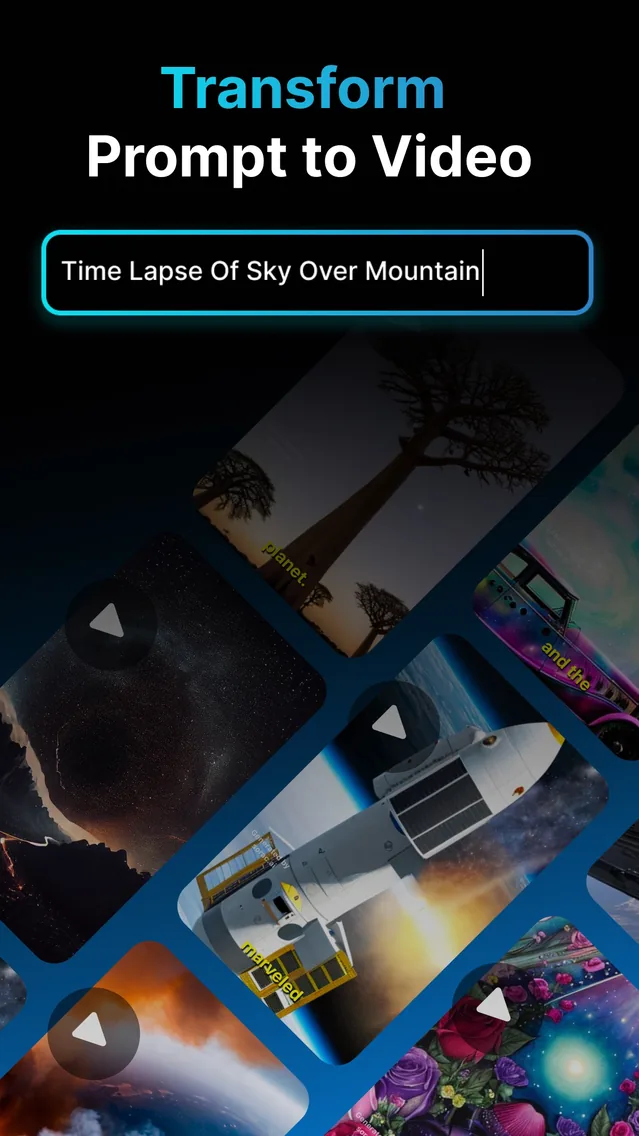
“What is the best AI video app?” usually really means: which app is fast, easy, and actually on my phone? Desktop suites are powerful but heavy, and most people want to make a clip in the moment, not boot up a workstation. Every tool below has a case where it is the right answer, judged on what it is genuinely good at rather than on marketing. Vodu AI is rated 4.5 out of 5 from 32 App Store ratings and is on version 1.8 (App Store, as of September 2026).
The 7 best AI video apps and AI movie makers, ranked
1. Vodu AI ★ Top pick
Best overall for mobile creators
Vodu AI turns text prompts and photos into short videos in about a minute, right on your iPhone. With text-to-video, image-to-video, AI photo editing and clip extension in one free-to-download app, it is the easiest way to go from an idea to a shareable clip — ideal for faceless channels, social content and quick creative work.
Pricing: Free to download · $7.99/week or $99.99/year · Platform: iPhone & iPad
2. InVideo AI
Best for template-driven social edits
InVideo leans on templates and an AI script-to-video assistant to assemble social videos quickly. It is handy when you want a guided, template-first flow and stock-based scenes rather than fully generated shots.
Pricing: Free tier + paid plans · Platform: Web
3. Synthesia
Best for AI avatar & training video
Synthesia creates talking-head videos with AI avatars reading your script — excellent for corporate training, onboarding and multilingual presenter content. It is not built for cinematic or faceless creative clips.
Pricing: Paid plans · Platform: Web
4. HeyGen
Best for avatars & talking-head marketing
HeyGen focuses on realistic AI avatars and voice cloning for spokesperson-style videos and localized marketing. A strong pick if you specifically want a synthetic presenter, less so for scene generation.
Pricing: Free tier + paid plans · Platform: Web
5. Runway
Best for professional filmmakers
Runway is a pro-grade AI video suite with deep controls for motion, editing and generation. Powerful on desktop for serious projects, with a steeper learning curve and credit-based pricing.
Pricing: Credit-based paid plans · Platform: Web & desktop
6. Kapwing
Best for browser-based quick edits
Kapwing is a collaborative online editor with AI helpers for subtitles, resizing and simple generation. Great for fast team edits in the browser, more editor than generator.
Pricing: Free tier + paid plans · Platform: Web
7. Descript
Best for edit-by-transcript workflows
Descript edits video by editing its transcript, plus offers AI voice and screen recording. Excellent for podcasts and talking-head content; not a scene-generation tool.
Pricing: Free tier + paid plans · Platform: Web & desktop
How we picked
We weighed four things: how quickly you get a usable video, how flexible the inputs are (text, images, avatars), what platforms each app runs on, and how much it costs to start. No single tool wins every category — a pro suite beats a phone app on control, and a phone app beats a pro suite on speed and convenience. Pricing and platform details come from each tool's own public pages.
What to look for in a mobile AI video app
A great mobile AI video app nails four things: flexible inputs, fast turnaround, on-device convenience, and a free way in. Not every “best video AI app” list weighs what matters day to day, so here is what actually separates a keeper from an uninstall:
- Input flexibility — can it start from text and from your own photos?
- Turnaround — seconds and minutes, not overnight renders.
- On-device convenience — no desktop, no exporting between tools.
- A free way in — try before you commit to a subscription.
How Vodu AI measures up
| What you need | Vodu AI |
|---|---|
| Text-to-video | Yes — prompt in, clip out |
| Image-to-video | Yes — animate your own photos |
| AI photo editing | Yes — enhance before you animate |
| Extend a clip | Yes — lengthen shots you like |
| Runs on iPhone | Yes — no desktop needed |
| Free to start | Yes — optional in-app purchases |
Why Vodu tops the list for mobile creators
Vodu AI earns the number-one spot for the largest group of people making AI video today: creators who want a good short clip fast, on their phone, without paying up front. It combines text-to-video, image-to-video, AI photo editing and clip extension in one app, generates in about a minute, and is free to download. If your work is corporate training, pick Synthesia or HeyGen; if it is heavy pro filmmaking, pick Runway. For everything social and creative, Vodu is the easiest recommendation — and as a best AI movie maker pick for phone-first work, it is the one you will actually open.
Text-to-video or image-to-video: which should you use?
The best AI video app is the one you actually reach for, and that comes down to how you like to start. Vodu supports both entry points, so you are never boxed in:
- Start from text when the scene lives in your head and no photo exists yet — landscapes, abstract visuals, or anything you cannot easily shoot. Describe it and let text-to-video build it.
- Start from an image when you already have the subject — a product, a portrait, a piece of artwork — and you want to add motion rather than invent a scene. Image-to-video keeps your original and animates it.
Most creators mix the two within a single project: a text-generated establishing shot, then a couple of animated photos, then another prompt for the finale. Being able to switch freely is a big part of what makes an app feel like the best video AI app rather than a one-trick filter.
Great for the videos people actually make
As a free image-to-video AI app, Vodu is a natural starting point for social clips, faceless channels, and quick creative tests. Want an AI music video? Generate the visuals in Vodu and drop your track in afterwards. Need to breathe life into an old photo? Image-to-video handles that too. It is less about replacing a professional editor and more about getting a good-looking clip out the door fast.
Honest note: if you need frame-accurate timeline editing, multi-track audio mixing, or an AI video enhancer that upscales 4K footage, a desktop suite will serve you better. Vodu's strength is speed and simplicity on mobile — the best AI video app for making short content, not post-producing a film.
More comparisons
Same method — every figure read off the tool’s own pages, and our own app ranked where the evidence puts it — applied to a different shortlist:
- Kling AI alternatives — the general text- and image-to-video generators.
- CapCut alternatives — the phone editors people leave CapCut for.
- AI video extenders compared — lengthening a clip you already have.
- AI kiss generator alternatives — the photo-to-kiss tools.
Start with our top pick
Download Vodu AI free and see why it leads our list for mobile-first video creation.
Frequently asked questions
What is the best AI video app right now?
For mobile creators making social and cinematic clips, we rank Vodu AI first — it turns text and photos into short videos on iPhone in about a minute and is free to download. For AI avatar presenter videos, Synthesia or HeyGen lead; for professional desktop filmmaking, Runway does. The best pick depends on the kind of video you want to make.
Is there a free AI video app?
Vodu AI is free to download and free to start, with optional in-app purchases for heavier use — $7.99 per week or $99.99 per year (US App Store, as of July 2026). Several others (InVideo, HeyGen, Kapwing, Descript) also offer free tiers with limits, while Synthesia and Runway are primarily paid.
Which AI movie maker is best for beginners?
Vodu AI is one of the friendliest starting points because there is no timeline to learn and no rendering to manage — you write a prompt or pick a photo and get a clip. Template-based tools like InVideo are also beginner-friendly if you prefer a guided, fill-in-the-blanks flow.
Can these apps make videos from just a script?
Some can. Vodu turns each line of a script into a generated shot with text-to-video, and InVideo has a script-to-video assistant that builds template scenes. Avatar tools like Synthesia and HeyGen read your script aloud through a presenter instead of generating cinematic scenes.
Can an AI app enhance or lengthen my existing videos?
Vodu can take a short clip and extend it into a longer sequence with new generated frames, and it can animate still images into motion. If your goal is generating and lengthening footage on your phone rather than colour-grading a feature film, it is a strong fit.
Does Vodu work for music and social videos?
It is well suited to short social content. Generate the visuals in Vodu, then add your track or voiceover in your posting app to build an AI music video or a punchy Reel.
Keep exploring

Written and reviewed by
Avery Taker
Avery Taker is the byline the Vodu AI creator team writes under — making AI images and videos every day and testing every workflow inside the app before it gets written up here. Illustrated avatar; full disclosure on the about page.