 Vodu
Vodu AI movie trailer maker for iPhone
Last updated: July 2026
To make an AI movie trailer, generate a handful of striking shots and cut them to a rhythm. Vodu AI is a movie trailer maker and AI movie trailer generator for iPhone: create the footage with text-to-video, extend your hero moments, then design a matching poster with AI photo editing — trailer and key art in one app.
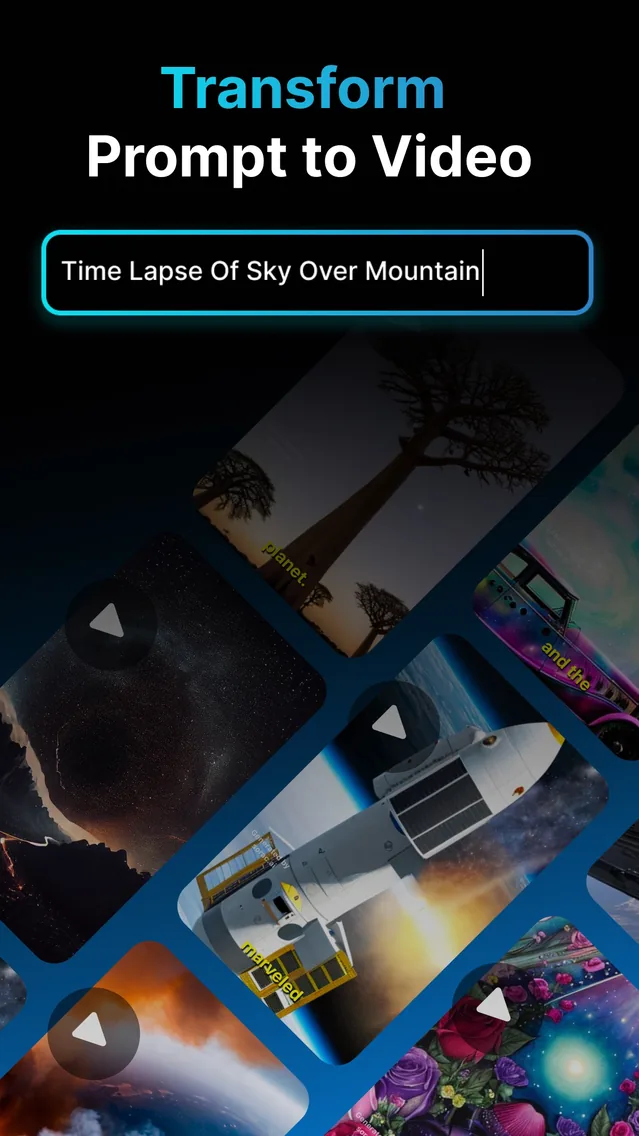
A great trailer is not a whole film — it is a handful of striking shots cut to a rhythm. That makes an AI movie trailer maker a perfect job for Vodu AI: generate the money shots one at a time, then arrange them for maximum impact. Whether you are searching for a plain trailer maker, an AI trailer maker, or a full AI movie trailer generator, the workflow is the same — prompt, generate, arrange. And because Vodu also edits images, it works as an AI movie poster maker in the same app, so your trailer and poster share one look. The app is rated 4.5 out of 5 from 24 App Store ratings (as of July 2026) and reached version 1.8 in December 2025 (App Store), up from its 2024 v1.0 launch.
Build the trailer
- List your beats. A trailer usually rides on 6–10 quick shots: an establishing image, rising tension, a couple of hero moments, and a final hook.
- Generate each shot. Turn every beat into a text-to-video prompt. Keep the phrasing dramatic — lighting, motion, scale — and regenerate until it lands.
- Extend the hero shots. Use AI video extension to give your best moments enough length to breathe before the cut.
- Assemble to a beat. Order the clips in your editor, add a rising track and a title card, and tighten the cuts as the music builds.
Design the poster
Once the trailer is cut, use Vodu's AI photo editing to create the key art:
- Enhance or restyle a still into a bold, poster-worthy image.
- Match the color and mood of your trailer so the set feels cohesive.
- Add your title, tagline and credits in any design app to finish the poster.
Rights reminder: for trailers you plan to publish or monetize, avoid prompting real actors, brands or copyrighted characters. Original concepts keep you clear of platform and copyright issues.
Pacing and music: the trailer rhythm
A trailer lives or dies on rhythm. The classic structure is a slow, atmospheric open, a build that adds a shot every few seconds, a hard beat drop where cuts get fast and punchy, and a final title card that lands on a held note. When you assemble your Vodu shots:
- Let the establishing shot breathe — two or three seconds — before anything cuts.
- Shorten each clip as the music rises so the cuts accelerate with the track.
- Save your strongest generated shot for the beat drop, and extend it slightly so it does not feel clipped.
- End on the title and poster art so the last frame is your brand.
Because Vodu regenerates in about a minute, you can keep spinning up alternate hero shots until one hits hard enough to carry that beat drop.
Why Vodu suits trailers
Trailers reward speed and iteration — you want to try a shot, judge it, and move on. Vodu's roughly one-minute generations let you spin up variations quickly, and having footage and poster art in one app keeps your project tight. Pair it with our AI movie maker workflow when you are ready to build the full scene behind the trailer.
Cut your first AI trailer
Download Vodu AI free, generate your hero shots, and design the poster to match.
Frequently asked questions
How do I make an AI movie trailer?
Generate your key shots with Vodu's text-to-video, keep the most dramatic takes, extend the ones that need more length, then arrange them into a fast-cut sequence with a title card and music in your editor. Vodu handles the footage; your cut handles the pace.
Can Vodu make a movie poster too?
Yes. Vodu includes AI photo editing, so you can create or enhance a key image and turn it into an AI movie poster to match your trailer. Design the artwork, add your title text, and you have a matching set.
Do I need editing experience?
No. Trailers are mostly short, punchy shots in a row. Generate them in Vodu, drop them into any basic editor in the order you want, add a track, and you have a trailer. There is no complex timeline to master inside the app.
What kind of trailers work well?
Concept trailers for story ideas, teaser trailers for your own projects, faux-film trailers for fun, and hype cuts for a channel or product launch all suit Vodu's shot-by-shot approach.
Is there a free movie trailer maker in the app?
Vodu AI is free to download, so you can start using it as a movie trailer maker at no cost — generate your shots, arrange them, and design the poster. Premium features and extra AI generations come through in-app purchases, with subscriptions from $7.99 per week (US App Store, July 2026); you see the options inside the app before you buy.
Keep exploring

Written and reviewed by
Avery Taker
Avery Taker is the byline the Vodu AI creator team writes under — making AI images and videos every day and testing every workflow inside the app before it gets written up here. Illustrated avatar; full disclosure on the about page.