 Vodu
Vodu AI photoshoot — turn a selfie into styled portraits
Last updated: July 2026
Vodu AI is an AI photoshoot app for iPhone. Upload a few clear photos of yourself, pick a look, and its AI photo editing generates styled portraits that keep your face recognisable while it restyles the background, outfit and lighting — your own AI photoshoot, no studio required.
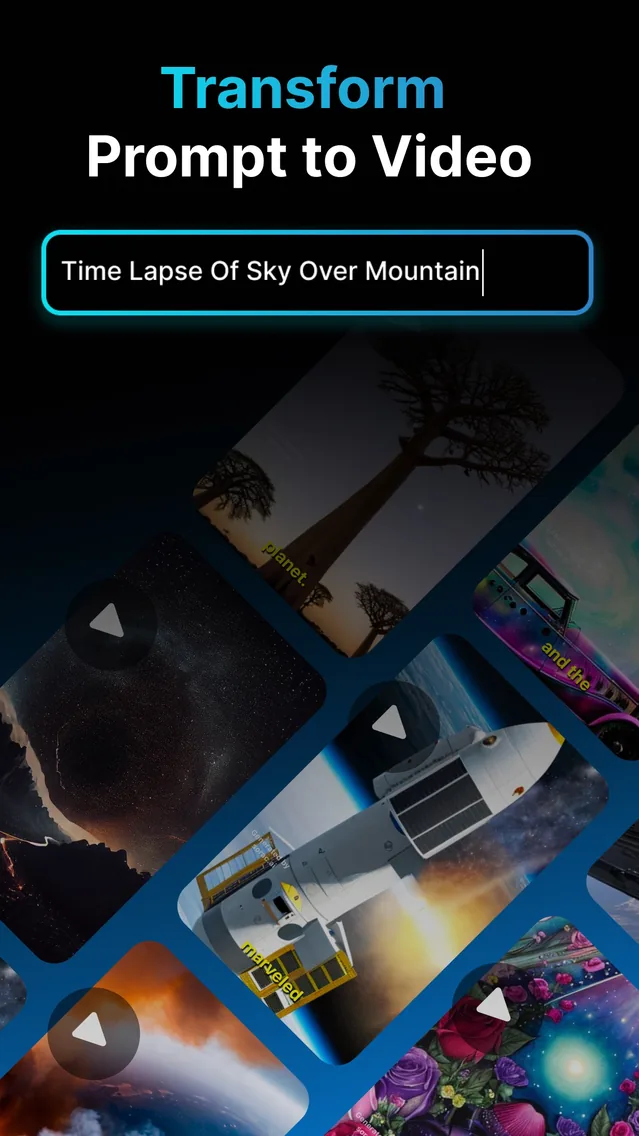
An AI photoshoot turns a selfie into styled portrait photos of you, without a studio, a photographer or a single lighting setup. Rather than inventing a stranger's face, a true photoshoot AI starts from your own pictures and keeps your likeness, restyling everything around it. Vodu AI does this on iPhone as part of its AI photo editing, and the app is rated 4.5 out of 5 from 24 App Store ratings (as of July 2026), now on version 1.8 (App Store, December 2025).
What is an AI photoshoot?
An AI photoshoot is a set of AI-generated portraits built from photos of you. You upload a few clear selfies, and the AI produces new images that keep your face recognisable while changing the setting, styling and light — a polished headshot, a themed backdrop, a different outfit. The key difference from a generic AI image generator is subject preservation: the result should still read as you, not a random model who vaguely resembles you.
How to create your AI photoshoot with Vodu
You can go from a plain selfie to styled portraits in four steps:
- Upload photos of yourself. Choose a few sharp, well-lit pictures where your face is clearly visible — front-facing shots work best.
- Pick a look. Choose the style, backdrop or occasion you want the portraits built around.
- Generate. Vodu's AI photo editing restyles your image while holding your likeness, and returns portrait options in about a minute.
- Refine and save. Regenerate for a closer match or a different mood, keep the takes that look most like you, then save or share.
Likeness tip: the closer your source photos are to a clean, front-facing selfie in even light, the more the finished portraits look like you. Blurry, heavily filtered or side-angle photos give the AI less to hold onto.
Making it look like you
Because people searching for an AI photoshoot want photos of themselves — not a lookalike — the source images do most of the work. Upload your own clear photos, keep your face unobstructed (no sunglasses, hats pulled low or group shots), and give the AI a few angles if you can. Vodu is built to preserve the subject, so the styling changes around you while your features stay steady. If the first result drifts, regenerate with a sharper photo before changing the look.
AI photoshoot ideas for every occasion
The same feature covers the seasonal shoots people plan a studio visit for — here are a few popular ones:
- Birthday photoshoot. Build a themed birthday portrait around your own photo, with a festive backdrop and styling, for a birthday post or a printed keepsake. A quick, private alternative to booking a studio for the day.
- Maternity photoshoot. Create a soft, elegant maternity-style portrait from a photo of yourself at home. It is a gentle way to mark the moment without arranging a full session, and you stay in control of every image.
- Newborn portraits. Style a calm, warm newborn-themed portrait from your own photos. Only ever use pictures you have taken and have every right to use, and keep the results tasteful and private to your family.
Is the AI photoshoot free?
Vodu AI is free to download and free to start, so “ai photoshoot free” is an honest description of the way in — you can create your first portraits and see the quality before spending anything. Genuinely unlimited generation is not realistic on any AI app, because each portrait uses real computing power. When you create a lot, premium plans start at $7.99 per week with photo credit packs available (US App Store, as of July 2026), always shown before you buy. See the full breakdown in our pricing sheet.
Beyond a still portrait
Your AI portraits do not have to stay still. Once you have a look you love, animate it with Vodu's photo animator or turn it into a moving clip with the image-to-video generator — the same engine, one app. Only ever upload photos of yourself or of people who have agreed to it, and keep results within Vodu's terms of use.
Create your AI photoshoot free
Download Vodu AI, upload a selfie, and generate styled portraits that still look like you — in about a minute.
Frequently asked questions
Is Vodu's AI photoshoot free?
Yes — Vodu AI is free to download and free to try, so you can create your first AI portraits at no cost. Extra generations and higher limits come through in-app purchases, with premium plans starting at $7.99 per week and photo credit packs available (US App Store, July 2026). The price is always shown in the app before you buy.
Do the AI photos actually look like me?
That is the whole point of an AI photoshoot rather than a generic AI portrait. You upload clear photos of your own face, and Vodu's AI photo editing keeps your likeness recognisable while it restyles the background, outfit and lighting. Sharp, front-facing source photos give the closest, most faithful results.
How many photos do I need to upload?
A few good photos of yourself are enough to start — more clear, well-lit angles give the AI a better sense of your face and produce more consistent portraits. Avoid heavy filters, sunglasses and group shots, which make it harder for the AI to hold your likeness steady.
What can I use AI photoshoot photos for?
Profile and dating-app pictures, social posts, professional-style headshots, and themed portraits for birthdays or other occasions. Because you own the source selfie, the finished portraits are of you — ready to post or print.
Can I make a birthday or maternity photoshoot?
Yes. Upload your own photos and pick a themed look, and Vodu can style a birthday, maternity or newborn-style portrait around your image. It is a fast, private way to get occasion photos without booking a studio or a photographer.
Keep exploring

Written and reviewed by
Avery Taker
Avery Taker is the byline the Vodu AI creator team writes under — making AI images and videos every day and testing every workflow inside the app before it gets written up here. Illustrated avatar; full disclosure on the about page.