 Vodu
Vodu AI movie maker that builds videos from your script
Last updated: July 2026
Vodu AI is an AI movie maker for iPhone that builds videos from your script one shot at a time. Turn each line into footage with text-to-video, animate photos with image-to-video, then extend and sequence the clips into a short film — all on your phone, with no timeline to learn.
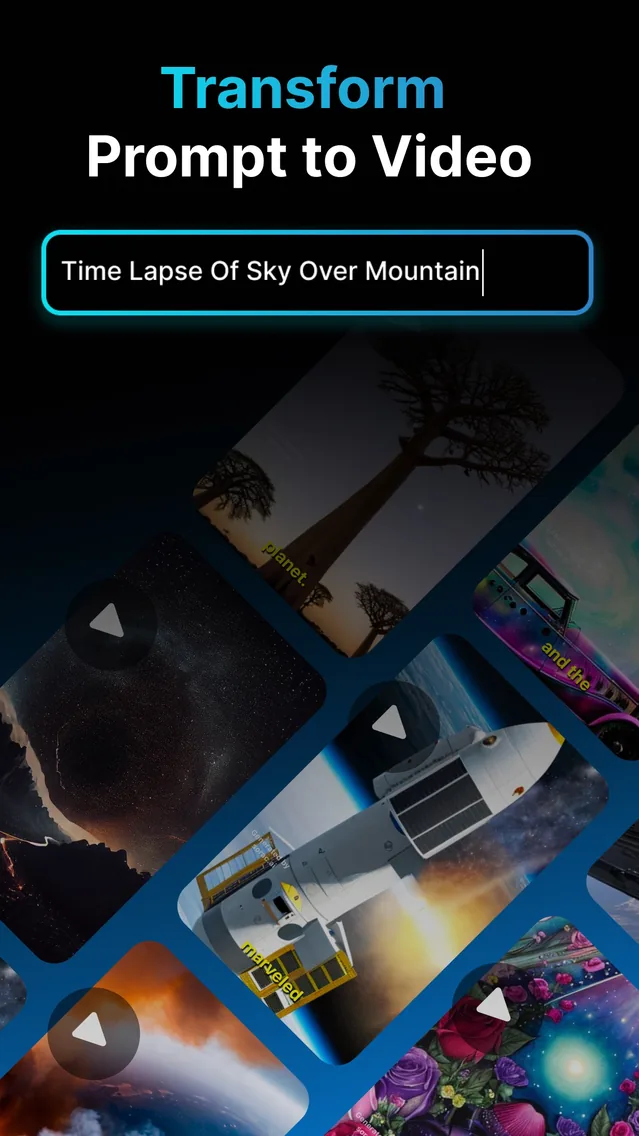
Making a movie used to mean cameras, actors and an editing suite. An AI movie maker replaces the production line with prompts: you describe a shot, the AI films it, and you assemble the story. Vodu AI brings that workflow to iPhone — first released as version 1.0 in 2024 and now on version 1.8 (App Store, December 2025), with a 4.5-star rating from 24 App Store ratings (as of July 2026) — so “movie maker AI” stops being a desktop-only idea and becomes something you can do on the couch.
From script to screen with Vodu
The strength of an AI movie maker from script is that your words are the direction. Here is the loop:
- Storyboard in sentences. Write your script as a list of shots. Each shot is one vivid line — who or what is on screen, the camera move, and the mood.
- Generate each shot. Feed the line to text-to-video and let Vodu create the footage. Regenerate with a sharper prompt until it matches your vision.
- Bring in your images. Have concept art or a photo? Use image-to-video to animate it into a shot that fits the sequence.
- Extend and cut together. Lengthen key shots with AI video extension, then order your clips into a scene in your editor of choice.
Direction tip: keep a consistent style word across every prompt — “cinematic,” “anime,” “claymation” — so your shots feel like they belong to the same film.
What you can make
- Short films and micro-scenes built shot by shot from a script.
- Concept and mood pieces that visualize a story idea before you commit to it.
- Social-length narratives for TikTok and Reels that actually tell a story.
- Animated stills that turn artwork and photos into moving shots.
Prompt patterns that keep scenes consistent
The difference between a random clip and a cohesive scene is disciplined prompting. A reliable pattern for movie maker AI work is: subject + action + shot type + lighting + style. For example, “a lone astronaut walks across red dunes, wide tracking shot, harsh sunlight, cinematic” gives the AI everything it needs. Then, across the whole sequence:
- Keep the style word identical in every prompt so shots match.
- Reuse character and setting details word-for-word to hold continuity.
- Vary only the shot type and action to create movement between cuts.
Working this way, an AI movie maker from script stops feeling like a slot machine and starts feeling like directing coverage — wide, medium, close — of the same scene.
Why creators reach for Vodu
It removes the two hardest parts of amateur filmmaking — shooting and rendering — and leaves you with the fun part, directing. As far as a best AI movie maker for quick, prompt-driven work goes, Vodu's mix of text-to-video, image-to-video and clip extension covers the whole path from blank page to finished short. For a head-to-head with template and avatar tools, see our best AI video apps ranking.
Direct your first AI movie
Download Vodu AI and turn a script into moving shots — free to start, made for iPhone.
Frequently asked questions
Can Vodu make a movie from a script?
Yes — scene by scene. Turn each line of your script into a prompt, generate the shot with text-to-video, then extend and arrange the clips. Vodu is an AI movie maker from script in the sense that your writing drives every shot, rather than a template picking visuals for you.
How is this different from a slideshow maker?
A slideshow stitches still images with transitions. Vodu generates actual moving footage from your prompts and animates your photos with real motion, so the result feels like short film clips, not a photo montage.
How long can the videos be?
Vodu creates short clips, and you can lengthen a shot with video extension. For a longer piece, generate several clips and sequence them in your editor or posting app — the same way short films are built from individual shots.
Is Vodu a good AI movie maker for beginners?
It is one of the easier ways to start. There is no timeline to learn and no rendering to manage — you write, generate, and arrange. That makes it a friendly first AI movie maker while still giving you shot-by-shot control.
Keep exploring

Written and reviewed by
Avery Taker
Avery Taker is the byline the Vodu AI creator team writes under — making AI images and videos every day and testing every workflow inside the app before it gets written up here. Illustrated avatar; full disclosure on the about page.