 Vodu
Vodu AI kissing generator — turn a photo into a kiss video
Last updated: September 2026
An AI kissing generator animates a still photo into a short kiss clip. Vodu AI does this on iPhone with its image-to-video feature: upload the picture, describe the moment in one line, and the app generates a few seconds of motion in about a minute — free to download, no editing timeline, and consent first.
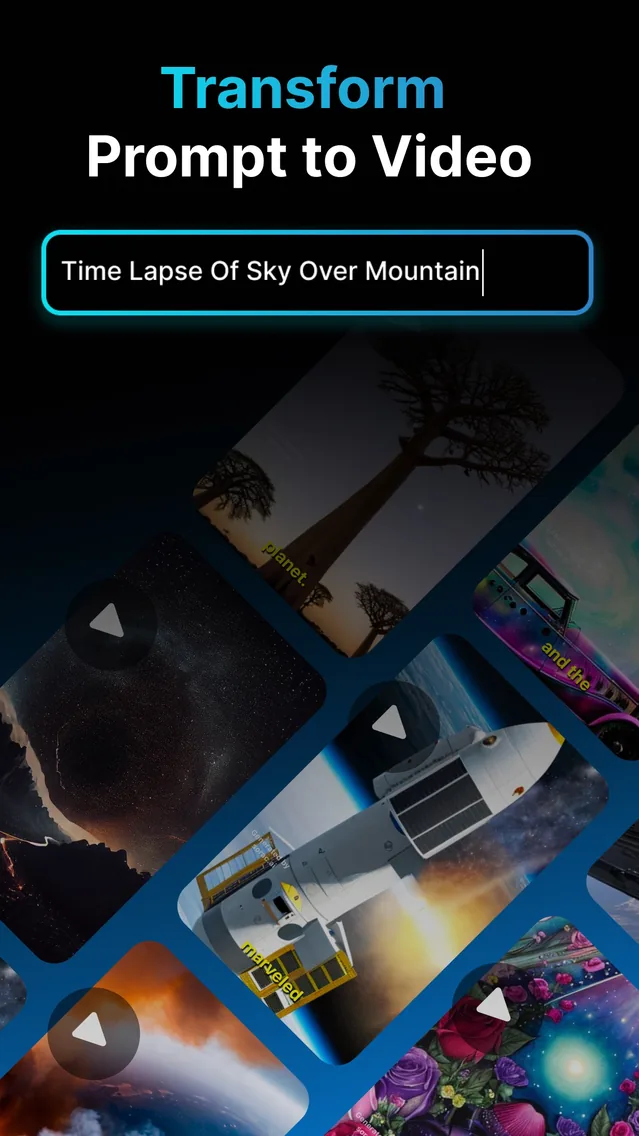
An AI kissing generator is not a filter and it is not a camera trick. It is image-to-video: you hand the AI one still photo and a short written instruction, and it generates new video frames in which the people in that photo lean in and kiss. Vodu AI includes exactly that feature on iPhone, which is why it works as an AI kiss video generator without any of the extra steps the trend seems to demand. The app is free to download, rated 4.5 out of 5 from 24 App Store ratings (as of July 2026), and reached version 1.8 in December 2025 (App Store).
What an AI kissing generator actually does
The honest version: nothing in the clip is footage. The AI reads your photo, works out where the faces, shoulders and background are, and then invents the frames that would follow if the moment carried on. That is why a good source photo matters so much — the model is extrapolating from what it can see, not compositing two pictures together.
It also means results vary. Two generations from the same photo and the same prompt will not be identical, and some photos simply animate better than others. Treat the first clip as a draft, not a verdict: regenerating with a calmer instruction is usually the fastest fix. Nobody — Vodu included — can guarantee a specific outcome from a specific picture.
Make an AI kiss video in four steps
- Choose the photo. Pick a sharp, well-lit picture you own, showing the people you want to animate. Front-facing and close together beats a wide group shot every time.
- Open image-to-video. Launch Vodu AI, pick the image-to-video tool, and upload your picture.
- Describe the moment in one line. Keep it short and physical — who moves, how fast, and what the camera does. “They lean in for a soft kiss, slow motion, gentle camera push” is plenty.
- Generate, then keep the best take. The clip usually lands in about a minute. Regenerate a couple of times, keep the most natural one, and save or share it.
One photo, or two people?
This is the question the whole cluster is really asking, so here is the plain answer: Vodu animates one image at a time. Whatever you want to see move has to already be inside that single picture.
- A photo of two people together is the ideal input — a couple, two friends, a wedding shot, an old family picture. The AI already has both faces, the right scale and one consistent light source, so the motion has somewhere believable to go.
- Two separate photos need a step you do before Vodu: put them into one image. A side-by-side collage from the Photos app, or a composite you build in any editor, gives the generator a single frame to work from. Then animate the combined picture.
- One person alone works too, for a blown kiss or a kiss towards the camera — but do not expect the AI to conjure a convincing second person who was never in the frame.
Head-and-shoulders framing, both faces clearly visible, similar angles and one obvious light source: those four things do more for the result than any prompt wording.
Prompt examples that work
The prompt sets the register of the movement. Small, specific, physical instructions read far better than dramatic ones.
| What you want | Prompt to try |
|---|---|
| Soft kiss | they turn towards each other and share a soft, brief kiss, natural motion |
| Cheek kiss | she leans in and kisses him on the cheek, he smiles, gentle movement |
| Forehead kiss | he kisses her forehead and holds still, warm light, slow and tender |
| Slow motion | a slow-motion kiss, hair moving slightly, subtle camera push in |
| Lead-in | they look at each other, laugh, then lean in to kiss, handheld feel |
Two habits that pay off: name one main action rather than a sequence of five, and add a camera word (“slow push in”, “handheld”, “static”) so the frame itself has a job to do.
Prompt tip: if a take looks rubbery or over-animated, do not add more description — take words away. “A brief, gentle kiss” usually beats a paragraph of direction.
Is an AI kissing generator free?
Vodu AI is free to download (the App Store lists it as Free, with in-app purchases), so “free AI kiss video generator” describes the way in honestly: installing and trying the app costs nothing, and whatever the current free allowance includes is shown in the app before you generate. What no app can offer is unlimited free generation, because every clip costs real compute on a server. When you outgrow the free tier, premium plans are $7.99 per week or $99.99 per year, with one-time credit packs available (US App Store, as of July 2026), and the app shows the exact price before you buy. The full list is in our pricing sheet, and the free tier is covered in detail on the free AI kiss video generator page.
Quality tips for a believable clip
- Sharp beats pretty. A plain, in-focus photo animates better than a moody one with heavy grain or bokeh.
- Even light. Harsh shadows across a face confuse the model and produce the melted look people complain about.
- Nothing over the faces. Sunglasses, masks, hands and hair across the mouth all remove the detail the AI needs.
- Crop in. If the subjects are small in a wide shot, crop to head-and-shoulders before uploading.
- Generate three, keep one. Variance is normal; the third take is often the natural one.
- Extend rather than over-prompt. If the clip is good but short, lengthen it with AI video extension instead of asking for a bigger performance.
Why AI kiss videos took off
These clips spread because they turn a static memory into a moment that feels alive, and they take seconds to make. There is a nostalgia angle (animating an old couple photo), a romance angle (a clip to send a partner), and a plain novelty angle — seeing a still picture suddenly move. Because the app removes the technical barrier entirely, the format is easy for anyone to try and share, which is what fuels a trend rather than a niche.
The other half of the answer is that this is not a bespoke “kiss” product at all. It is a general image-to-video feature pointed at one popular prompt, which is why the same few taps also animate a hug, a wave, an old portrait or a pet photo.
Other AI kiss generators compared
Vodu is not the only way to do this, and most of the tools you will find are websites rather than apps. Two differences matter before you pick one: some of them (MagicShot, AIKissfiy, Vidu) accept two separate photos instead of one combined image, and their free tiers range from 30 credits a day to nothing at all. Our AI kiss generator alternatives page compares nine of them — free tier, watermark, price and what you have to upload — against what each states on its own pages.
Consent, and the rules we ask you to follow
A kiss clip is an intimate thing to make of somebody. These are firm rules, not fine print:
- Consent, every time. Only animate yourself and adults who have said yes to it. “They would find it funny” is not consent.
- Never children. Do not upload photos of minors to this effect under any circumstances.
- No public figures used deceptively. Do not generate celebrities, politicians or anyone else in a way that could be mistaken for something that really happened.
- No harassment, no explicit content. Never use it to sexualise, shame or pressure a person, and follow Vodu's terms of use and each platform's rules on synthetic media.
The same policy sits on our AI face swap page, and it applies identically here.
The same engine, other effects
Kiss clips are one use of a general image-to-video feature, not a separate product. The same few taps drive Vodu's photo animator, the full image to video generator workflow, and the AI hug video generator — including the “hug your younger self” version people are making from old photographs. If you want the step-by-step on animating any still, read how to animate a picture with AI.
Worth knowing before you go looking for a separate app for each idea: the same feature brings an old portrait back to life with subtle movement, animates pet photos, adds motion to artwork or an illustration, and turns a flat product shot into a short, eye-catching clip. One tool, many prompts.
Make your first AI kiss video
Download Vodu AI free, upload one photo, and generate a short kiss clip in about a minute.
Frequently asked questions
Is the AI kissing generator free?
Vodu AI is free to download and free to start, so your first kiss clip costs nothing. Every generation uses real computing power on a server, so heavier use runs through in-app purchases — premium plans are $7.99 per week or $99.99 per year (US App Store, as of July 2026), with one-time credit packs as an alternative. The price is always shown inside the app before you confirm. There is more detail on the free AI kiss video generator page.
Do I need to sign up or log in?
You install the app from the App Store and open it — there is no separate website account to register before you can try image-to-video. Anything you buy goes through the Apple account already on your iPhone, so you never type card details into a third-party site.
Can I use two different photos of two different people?
Vodu animates one image at a time, so combine the two people into a single picture first — a side-by-side collage or a composite — and animate that. A photo in which the two are already standing together is easier for the AI and gives a far more believable result.
How long is the generated clip?
These are short clips — a few seconds of motion, not a scene — and they usually take about a minute to generate. If you need more length, run the finished clip through Vodu's video extension feature rather than asking for a long generation up front.
Whose photos am I allowed to animate?
Your own photos, and photos of adults who have agreed to it. No pictures of children, no photos of people you do not know, and no public figures in anything that could be taken for real footage. Everything you make also has to stay inside Vodu's terms of use and the content rules of wherever you post it.
Keep exploring

Written and reviewed by
Avery Taker
Avery Taker is the byline the Vodu AI creator team writes under — making AI images and videos every day and testing every workflow inside the app before it gets written up here. Illustrated avatar; full disclosure on the about page.