 Vodu
Vodu AI hug video generator — turn a photo into an embrace
Last updated: September 2026
An AI hug video generator animates a still photo so the people in it embrace. Vodu AI does this on iPhone with image-to-video: upload one picture, describe the hug in a line, and the app generates a few seconds of motion in about a minute — free to download, and consent first.
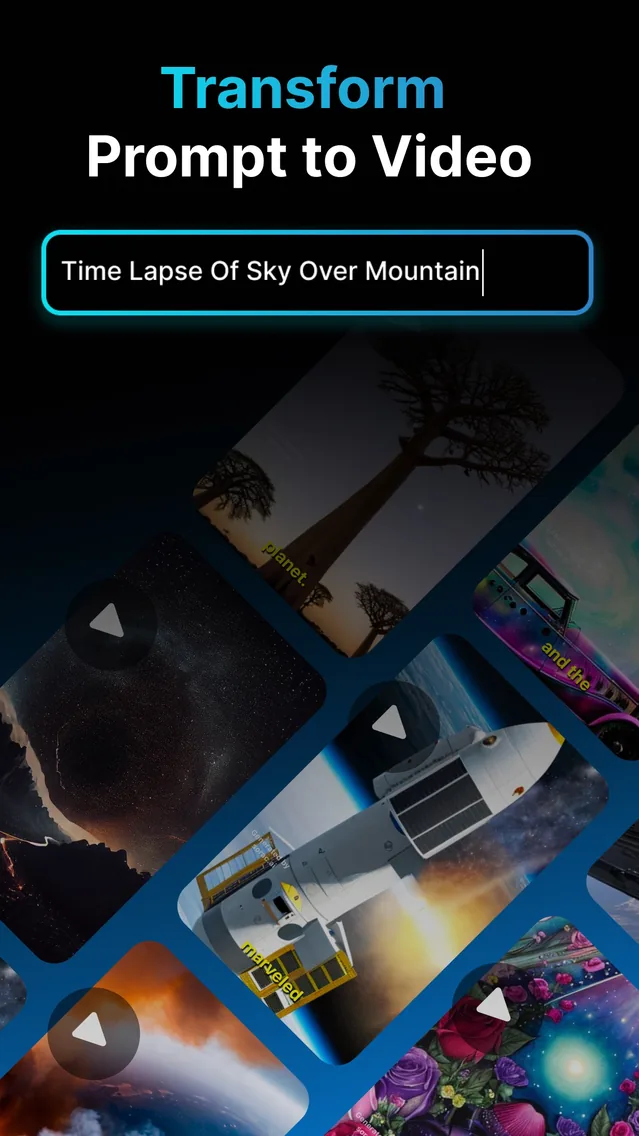
An AI hug generator is the same mechanic as every other “living photo” effect: image-to-video. You give the AI one still picture and a short instruction, and it generates new frames in which the people in that photo move towards each other and embrace. Vodu AI includes image-to-video on iPhone, which is what makes it work as an AI hug video generator. It is free to download, rated 4.5 out of 5 from 24 App Store ratings (as of July 2026), and on version 1.8 (App Store, December 2025).
What an AI hug video is
It is a short generated clip — a few seconds, usually — in which a static photograph resolves into an embrace. Nothing in it was filmed. The model reads the faces, bodies, scale and lighting in your image and invents the motion that would follow, which is why the source photo does almost all the work and why two runs of the same photo never come out identical.
Hugs animate a little more forgivingly than kisses, because an embrace is a bigger, slower movement and the faces often turn away from the camera partway through. That hides exactly the detail the model finds hardest to hold.
Make one on iPhone in three steps
- Pick one image with everyone in it. A photo of two people standing near each other is ideal — and if they are in separate pictures, combine them into one image before you start.
- Open image-to-video and describe the hug. One line is enough: “they step together and hug warmly, she rests her head on his shoulder, gentle motion.”
- Generate, then keep the best take. About a minute per clip. Run it two or three times and keep the most natural embrace.
The “hug your younger self” trend
This is the version filling feeds right now: an adult embracing a childhood photograph of themselves. It is a genuinely moving thing to watch, and it is also the most misunderstood, because people assume the app merges two photos automatically. It does not. The mechanic is a composite, then an animation:
- Find the old photo. A clear one where your younger face is visible and reasonably lit. Scans of prints work; phone photos of prints work better if you shoot them flat and evenly lit.
- Take a current photo in a matching pose. Stand as though your arms are already around someone, at roughly the scale the child would be. This step is what makes the finished clip believable.
- Build one image from the two. Put them into a single frame — a composite in any photo editor, tidied with Vodu's AI photo editing if the edges need help. Aim for consistent light and sensible relative size.
- Animate the composite. Run it through image-to-video with a prompt such as “the woman gently hugs the child, both smile, soft warm light, slow motion.”
Expect to try it a few times. The two most common failures are scale — a child rendered adult-sized — and mismatched light, where one half of the frame is daylight and the other is a lamp.
Composite tip: match the light before you match anything else. Two photos taken in similar lighting composite convincingly even when everything else is imperfect; two photos in different light never quite settle, however carefully you cut them out.
The other hugs people make
- Distance and reunions. Family in another country, a friend you have not seen in years — a photo of the two of you, animated into the hug the calendar has not allowed yet.
- Anniversaries and birthdays. An old couple photo brought into motion, sent privately rather than posted.
- Remembering someone. Handled with care — see the rules below — a photo of someone who has died, animated for the family rather than for an audience.
- Pets. No consent problem at all, and the results are often the most charming of the lot.
Photo requirements that actually matter
- Sharp and evenly lit beats artistic. Grain, motion blur and heavy shadow all reduce what the model has to work with.
- Both subjects near each other in the frame, at a believable relative size.
- Faces visible and unobstructed — no sunglasses, no hands across the face.
- Head-and-shoulders or three-quarter framing. Crop a wide shot in before uploading rather than asking the AI to animate two small figures.
- One light source. This is the single biggest predictor of whether a composite reads as one photograph.
Free vs paid
Vodu AI is free to download and free to start, so you can make a hug clip and judge it before spending anything — which matters here, because whether your particular old photo animates well is not something anyone can tell you in advance. Beyond the free allowance, premium plans are $7.99 per week or $99.99 per year, with one-time credit packs available (US App Store, as of July 2026), shown before you buy. See the pricing sheet, and the free tier explainer for how the free allowance behaves in practice.
Consent, and the rules we ask you to follow
- Consent from the living adults in the photo. Animate yourself and people who have agreed to it.
- Never children who are not your own family photos. The younger-self trend works because it is your photo of you. Do not upload pictures of other people's children.
- Memorial clips stay private by default. Ask the family before publishing one, and never present it as real footage of the person.
- No public figures used deceptively, no harassment, nothing that could be mistaken for something that really happened. Vodu's terms of use and each platform's synthetic-media rules apply.
The same policy governs our AI face swap and AI kissing generator pages, and it is not decorative.
The same engine, other effects
A hug is one prompt away from a kiss, a wave or a laugh — it is all the one image-to-video feature. The same taps power Vodu's photo animator and its full image to video generator workflow, and if a clip ends too soon you can lengthen it with AI video extension. For the general walkthrough, read how to animate a picture with AI.
Animate a hug from a photo
Download Vodu AI free and turn one picture into a short embrace in about a minute.
Frequently asked questions
Is the AI hug generator free?
Vodu AI is free to download and free to start, so your first hug clip costs nothing. Generating video uses real computing power, so heavier use runs through in-app purchases — $7.99 per week or $99.99 per year, with one-time credit packs (US App Store, as of July 2026). The price is shown in the app before you buy.
Can I use a photo of someone who has died?
Many people do, and for some it is a gentle way to sit with a memory. Two things to hold onto. Make it for yourself and the people who loved them, not for an audience that never knew them — and check with the family before you post it publicly, because grief is not the same shape for everyone. Never present the clip as real footage of them.
Do I need two photos?
No — you need one image containing everyone who should move. If your two subjects are in separate photos, combine them into a single picture first (a side-by-side collage or a composite), then animate that combined image.
Can I hug my younger self with one photo?
Not from one photo alone, because the AI can only animate what is already in the frame. Build the composite first: put the old photo and a current one into one image, then run that through image-to-video with a prompt describing the embrace.
How long is the generated clip?
A few seconds — long enough for one embrace, not a scene — and it usually generates in about a minute. If you want more length, extend the finished clip with Vodu's video extension feature.
Keep exploring

Written and reviewed by
Avery Taker
Avery Taker is the byline the Vodu AI creator team writes under — making AI images and videos every day and testing every workflow inside the app before it gets written up here. Illustrated avatar; full disclosure on the about page.