 Vodu
Vodu Script to video AI — turn a script into a video
Last updated: July 2026
Vodu AI turns a script into video on iPhone: break your script into short lines and its text-to-video engine generates a matching shot for each one in about a minute. Paste a script you wrote yourself or with ChatGPT, then assemble the clips into a finished video — free to start.
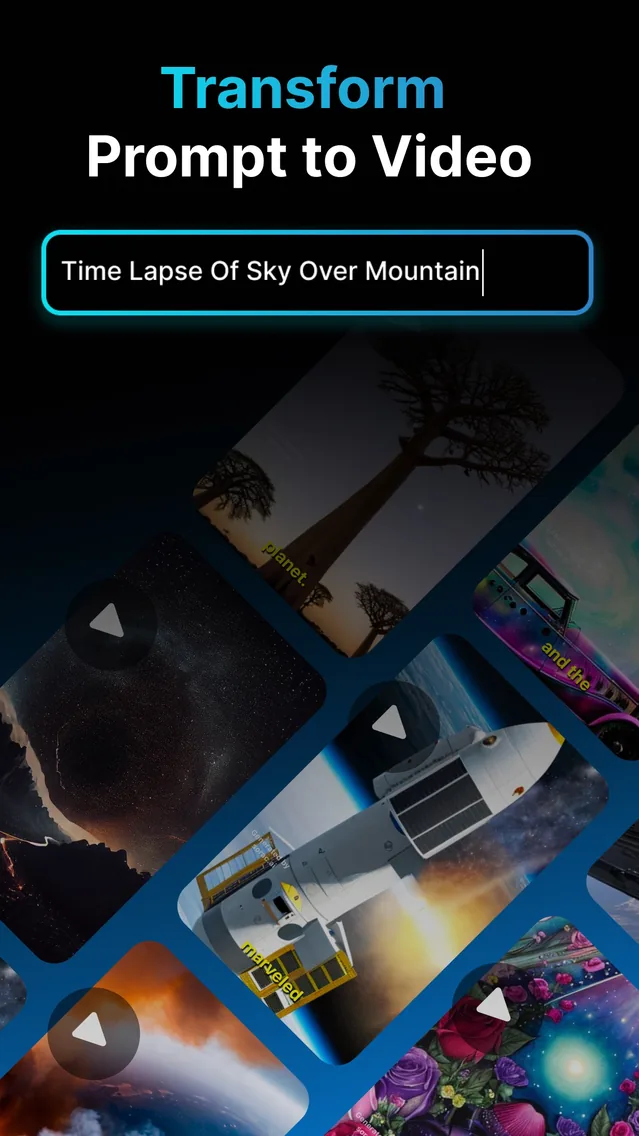

A script to video AI converts written lines into moving footage, one shot at a time. Instead of hunting for stock clips to match your words, you let the AI generate exactly the shot each line describes. Vodu AI does this on iPhone with its text-to-video engine — the app is rated 4.5 out of 5 from 24 App Store ratings (as of July 2026) and reached version 1.8 in December 2025 (App Store) — so a finished video is only as far away as a finished script.
How to turn a script into a video with Vodu
The loop is simple and repeatable:
- Write in shots. Break your script into short lines, one clear idea per line. Each line becomes one shot.
- Generate each line. Feed a line to Vodu's text-to-video and let it create the footage in about a minute.
- Add your own images. Have a photo that fits? Use image-to-video to animate it into a shot instead.
- Extend and sequence. Lengthen key shots with AI video extension, then order the clips into your video and add a voiceover or music.
Paste your ChatGPT script into Vodu
A common workflow pairs two tools honestly: ChatGPT writes the script, Vodu turns it into video. ChatGPT is excellent at drafting a hook, structuring beats and tightening lines, but it does not render footage. Vodu does. So the “ChatGPT video generator” many people are looking for is really this pairing:
- Ask ChatGPT for a short, shot-by-shot script — one vivid line per scene.
- Open Vodu AI and paste or retype the first line into text-to-video.
- Generate the shot, then move to the next line and repeat.
- Sequence the clips, add narration, and publish.
Used this way, Vodu is the video half of a chat GPT video generator setup: your script — wherever it came from — drives every frame. If you want help writing that script first, read our guide on how to write a video script.
Script to video vs a template video maker
Template tools drop your words onto pre-made scenes and stock clips; a true script to video AI generates original footage for each line. The trade-off is control versus convenience:
| Vodu (script to video AI) | Template maker | |
|---|---|---|
| Visuals | Generated per line, original | Stock clips in a template |
| Control | Shot-by-shot from your script | Fill-in-the-blanks layout |
| Best for | Cinematic and creative video | Fast, uniform social posts |
| Runs on | iPhone & iPad | Usually web |
Is script to video free?
Vodu AI is free to download and free to start, so you can turn your first few script lines into shots at no cost. Truly unlimited generation is not something any AI video app can promise, because each render costs real compute; when you scale up, premium plans start at $7.99 per week with one-time credit packs available (US App Store, as of July 2026). The app always shows the price before you buy — full details are in our pricing sheet.
Turn your script into video
Download Vodu AI free, paste in your first script line, and watch it become a shot in about a minute.
Frequently asked questions
How does script to video work?
You break your script into short lines, and an AI turns each line into a matching video shot. In Vodu AI, you feed a line to text-to-video, it generates the footage in about a minute, and you arrange the clips in order. Your writing directs every shot.
Can I use a ChatGPT script with Vodu?
Yes. ChatGPT is great at writing a script; Vodu turns that script into video. Paste or retype your ChatGPT lines into Vodu's text-to-video one scene at a time, generate each shot, and assemble them. The two tools complement each other — one writes, one films.
Is there a free script to video AI?
Vodu AI is free to download and try, so you can generate your first script-driven shots at no cost. Extra generations and higher limits are handled through in-app purchases, with premium plans from $7.99 per week (US App Store, July 2026).
How long a script can I turn into video?
Vodu creates short clips per line, so it suits short scripts and social-length pieces best. For a longer video, generate a clip for each line, extend the shots that need more length, and sequence them in your editor — the same way any film is built from individual shots.
Keep exploring

Written and reviewed by
Avery Taker
Avery Taker is the byline the Vodu AI creator team writes under — making AI images and videos every day and testing every workflow inside the app before it gets written up here. Illustrated avatar; full disclosure on the about page.