 Vodu
Vodu Hotel lobby AI video: make the orange booth trend
Last updated: September 2026
The hotel lobby AI trend puts two people in an orange booth with one hanging mic, rapping and pointing at the camera. Here is how to make your own version on iPhone with Vodu AI: build the booth still, swap in faces with consent, animate it with image-to-video, then add the music in your editor.
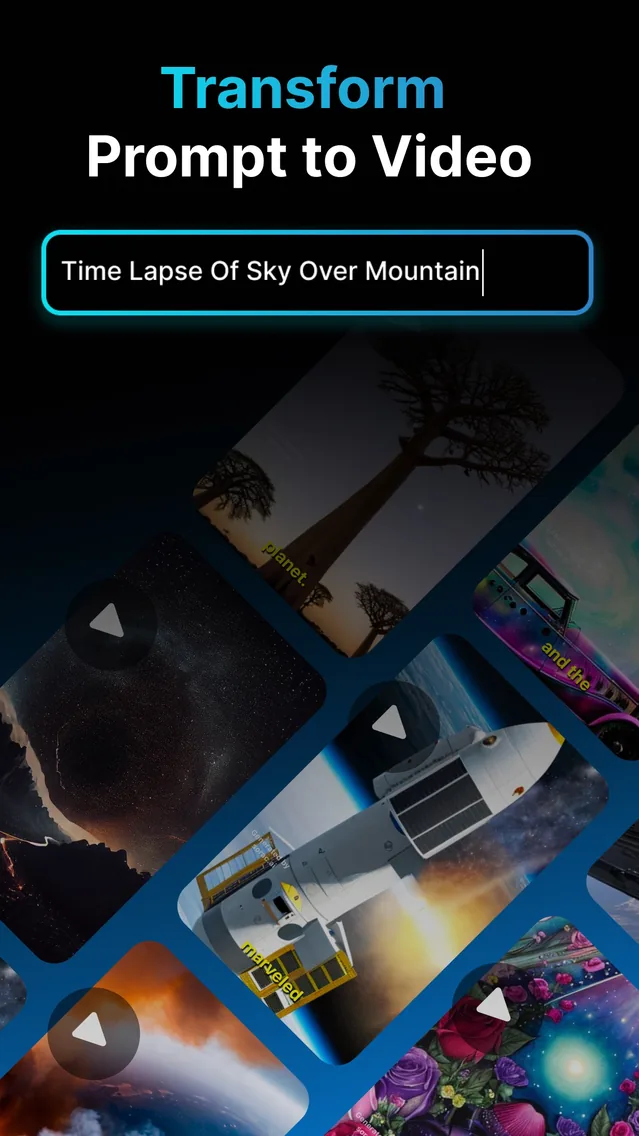
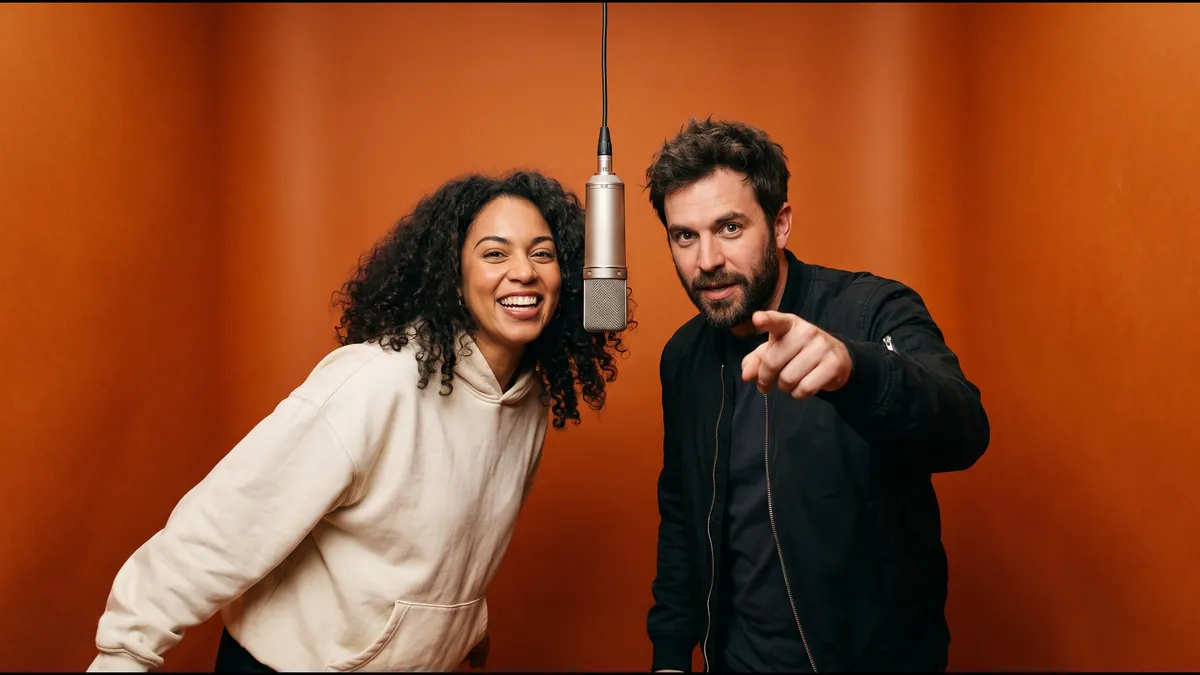
If your feed is full of friends, cats and fictional duos rapping in an orange booth, you have met the hotel lobby AI trend. People search for it as “hotel lobby ai”, “hotel lobby ai tutorial” and “hotel lobby tiktok trend”, and most want the same thing: a short, 9:16 clip of two people in that booth, copying the performance. This guide shows the full recipe with Vodu AI on iPhone, with prompts you can copy.
What the hotel lobby AI trend is
The trend recreates a performance of the song “HOTEL LOBBY” by Quavo and Takeoff, filmed for A COLORS SHOW. The look is simple and instantly recognisable:
- A seamless burnt-orange booth, walls and floor in one warm colour with no visible corners.
- One silver microphone hanging on a thin cable between two performers.
- Two people, chest-up, locked-off camera, big gestures: a point at the lens, a forearm across the face, a turn away, a finger to the lips.
Creators swap in their own duo, keep the booth and gestures, and put the song back on top in an editor. The original performance and song belong to their owners, so this guide uses an original AI image of two fictional people and never the original footage or audio.
What you need
- Vodu AI on iPhone (App Store) for face swap and image-to-video.
- Two clear photos, one per person: upper body, facing the camera, even light, no sunglasses. Only use people who have agreed to it.
- An orange booth still. Generate one with the image prompt below, or use the style of the hero image on this page as your reference.
- A video editor (TikTok, Instagram, YouTube Shorts or any editor) to add the audio at the end.
How to make a hotel lobby AI video with Vodu
- Make the booth still. Generate a 9:16 image of two people in an orange booth with one hanging mic, using the image prompt below. Decide who stands LEFT and who stands RIGHT before you start.
- Swap in your faces. Open AI face swap in Vodu, add a source face and the booth still, and generate. Repeat for the second person so both faces are yours.
- Animate it. Open image to video, upload the finished still and paste the motion prompt below. A clip takes about a minute.
- Pick the best take and lengthen it. Run it two or three times. If you want closer to the 15 seconds the trend uses, cut takes together or extend one with AI video extension.
- Add the audio and post. The AI clip is silent. Add the sound in your editor or from the platform's music library, then export in 9:16.
Copy these prompts
Orange booth image prompt
Use this with reference photos of your two people (person A as reference 1, person B as reference 2):
Photoreal still, 9:16. Two people from reference image 1 (LEFT) and reference image 2 (RIGHT) standing shoulder to shoulder in a seamless burnt-orange studio booth, warm saturated orange walls and floor, a silver condenser microphone hanging on a thin black cable from the ceiling between their faces. Both mid-rap, the left one pointing at the camera, confident streetwear. Locked-off medium shot from the chest up, warm soft studio light, sharp faces exactly as in the references, natural skin texture. No text, no logos, no watermark.
Motion prompt for image-to-video
Paste this into Vodu's image-to-video after you upload the finished booth still:
Both people rap energetically into the hanging mic, perfectly in rhythm: the LEFT one points forward at the camera, then brings a forearm across his face; the RIGHT one leans in, turns away, then does a finger-to-lips "shh". Heads bob to a trap beat, mouths move as if rapping, hands gesture. Camera locked off, same framing, warm orange booth, no cuts, one continuous shot. Keep both faces identical to the first frame.
Change the outfits, the gestures or the energy to make it yours. Keep “locked off”, “one continuous shot” and “keep both faces identical to the first frame”, because those lines stop the camera drifting and the faces changing.
Tips for a clean result
- One photo per person. Do not crop two people out of a group shot; small, soft faces swap badly.
- Match the angle. Front-facing source faces blend best into front-facing booth figures.
- Fix left and right first. Name the positions in both prompts so the gestures land on the right person.
- Keep the orange flat. A seamless, evenly lit booth reads as the trend at a glance; busy backgrounds do not.
- Frame chest-up in 9:16. That is the crop the platforms show, and it keeps faces large enough to animate well.
- Generate a few takes. Every run is different, so keep the one with the cleanest hands and mouths.
Other duos people make
Best friends, couples, siblings, a pet pair, two versions of yourself or original cartoon characters all work. Pets and original characters are the easiest to post, because nobody's likeness is involved.
Play it fair
- Consent first. Only swap in people who said yes. No public figures or private individuals without permission.
- Do not recreate real people as if it were real. Keep it obviously a playful edit, and label AI content where the platform asks for it.
- Respect the music and footage. Use the platform's licensed sound, and do not re-upload the original performance.
- Be kind. The trend has drawn criticism over likeness, so keep your version light and respectful. Vodu's terms of use apply.
Make your orange booth clip
Get Vodu AI on iPhone: swap in your duo, animate the booth, and add the sound in your editor.
Frequently asked questions
What is the hotel lobby AI trend?
It is a wave of AI edits that recreate a well-known performance of the song “HOTEL LOBBY” by Quavo and Takeoff, filmed for A COLORS SHOW: two performers in a plain orange booth with one microphone hanging between them. Creators swap in friends, pets or fictional duos and add the song back in an editor.
Can I make a hotel lobby AI video on my iPhone?
Yes. With Vodu AI on iPhone you can build the orange booth still, swap faces into it with face swap, and animate it with image-to-video in about a minute per clip. Then add the audio in your usual video editor before posting.
Does Vodu have a one-tap hotel lobby template?
No. Vodu does not offer a dedicated hotel lobby template or motion copying from a reference video. You make the look yourself with face swap and image-to-video, using the ready-made prompts on this page.
Why is there no sound in my AI clip?
AI video generators return silent video. Add the track in TikTok, Instagram, YouTube Shorts or a video editor after you export. Use the platform's licensed music library where you can, because uploading the song yourself can trigger a copyright claim.
How long is the clip?
An image-to-video generation is a few seconds long. The trend clip runs about 15 seconds, so generate a couple of takes and cut them together, or lengthen one with AI video extension.
Can I use celebrities or someone else's face?
Only use faces of people who have agreed to it, or original characters and pets. Do not put real public figures or private people into a clip without consent, and never present an AI edit as real footage.
Keep exploring

Written and reviewed by
Avery Taker
Avery Taker is the byline the Vodu AI creator team writes under — making AI images and videos every day and testing every workflow inside the app before it gets written up here. Illustrated avatar; full disclosure on the about page.